

PostScript to Gerber Conversion
🧩 What Is PostScript to Gerber Conversion?
PostScript (PS) and Encapsulated PostScript (EPS) files are commonly used in design environments for vector-based artwork. However, they are not directly usable for PCB manufacturing. That’s where Gerber files come in – they’re the industry standard for producing accurate, fabrication-ready PCBs.
⚠️ Why You Can’t Use EPS/PS Files Directly
Even though EPS and PS formats look visually correct, they often lack the detailed layer separation and drill data required by PCB fabrication machines. This can result in:
- Misaligned tracks and components
- Missing drill holes
- Unclear solder mask or silkscreen layers
✅ Why Choose Rapid Circuit for EPS/PS to Gerber Conversion?
We don’t just convert your files—we prepare them for flawless PCB manufacturing. Here’s how we help:
- 🔍 Manual Inspection: Every file is reviewed for vector accuracy and layer structure
- 🎯 Precision Conversion: Our proprietary workflow ensures reliable Gerber output
- 📐 Layer Mapping: Top/bottom copper, solder mask, and silkscreen are carefully separated
- 🧪 Pre-fab Validation: We validate your converted files with Gerber viewers before delivery
🔁 Our Conversion Process
- Upload your EPS/PS files
- We analyze the artwork for manufacturability
- Files are converted into standard RS-274X Gerber format
- You receive fabrication-ready Gerber files within 24–48 hours
💡 Want faster turnaround? We offer express conversion on request!
🏆 What Sets Us Apart?
- 💼 Trusted by 500+ PCB designers across India
- 📞 Personal assistance for complex designs
- 🔒 100% confidentiality.
- 💰 Affordable pricing with no hidden charges
📞 Ready to Get Started?
👉 Contact us today for professional EPS to Gerber conversion:
- 📧 Email: [email protected]
- 📞 Phone/WhatsApp: +91-7405407973
🔗 Related Services
🧠 FAQ
- Can I convert PS/EPS to Gerber myself?
Yes, but it’s error-prone without specialized knowledge. We help avoid mistakes that cost time and money. - How long does the conversion take?
Standard turnaround is 1–2 business days. Express options are available.
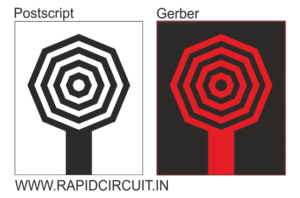
Bridge the Gap: Seamlessly Convert EPS/PS to Gerber Files for PCB Manufacturing
Need to convert your PCB design data from EPS/PS (Encapsulated PostScript) format to the industry-standard Gerber format for manufacturing? You’re not alone. Many designers and engineers face this crucial step, and we’re here to guide you through the EPS/PS to Gerber conversion process with ease.
What is EPS/PS (Encapsulated PostScript)?
EPS/PS is a derivative of the PostScript (PS) format, commonly used for exchanging vector graphics data between different software applications. While it can represent intricate design elements, it lacks the specific information required for PCB fabrication processes.
What is a Gerber File?
A Gerber file is a text-based format specifically designed for conveying the various layers of a PCB layout in a manner that can be interpreted by manufacturing machines. It provides crucial instructions for building your PCB, including copper layers, silkscreens, drill holes, and more.
Why Convert EPS/PS to Gerber Files?
Converting your EPS/PS files to Gerber files unlocks several advantages:
- Manufacturing Compatibility: Most PCB manufacturers rely on Gerber files for accurate and efficient production, ensuring your design seamlessly translates into a functional PCB.
- Enhanced Precision: Gerber files offer a higher level of precision compared to EPS/PS, minimizing the risk of errors and ensuring your PCB design intentions are accurately replicated.
- Standardization: Gerber is the industry standard for PCB data exchange, facilitating seamless communication and collaboration with manufacturers and fabrication partners.
How to Convert EPS/PS to Gerber Files:
There are two primary methods for converting your EPS/PS files to Gerber files:
1. Dedicated PCB Design Software:
Many specialized PCB design software programs offer built-in EPS/PS import and Gerber export functionalities. These software solutions often provide advanced features for:
Viewing and editing your EPS/PS file.
Mapping design elements (copper traces, pads, etc.) to specific Gerber layers.
Defining additional parameters like line widths and clearances for accurate Gerber file generation.
2. Online Conversion Services:
For a quick and convenient option, consider online conversion services that allow you to upload your EPS/PS file and download the converted Gerber file. However, be mindful of potential limitations such as:
- Accuracy Concerns: Online conversions might not always guarantee perfect results, and it’s crucial to carefully verify the accuracy of the generated Gerber file before proceeding with manufacturing.
- Limited Control: Online services may offer limited customization options during the conversion process, potentially requiring additional adjustments in dedicated software later.
- Security Considerations: While reputable services prioritize security, be cautious when uploading sensitive design data to online platforms.
Choosing the Right Method:
The optimal conversion method depends on your specific needs and priorities. If you require advanced features, customization options, and complete control over the process, dedicated PCB design software is recommended. For occasional conversions or quick turnaround times, online services might be a suitable solution, provided you exercise caution and verify the output thoroughly.